


Nostal Solitaire: Classic Card
4.11.64K Reviews
App Specs
- Version
- 3.2.0
- Updated On
- License
- Free
- Downloads
- 1,000,000+
- Developer
- Infinite Joy Ltd.
- Categories
- Card
- Platform
- Android
Screenshots
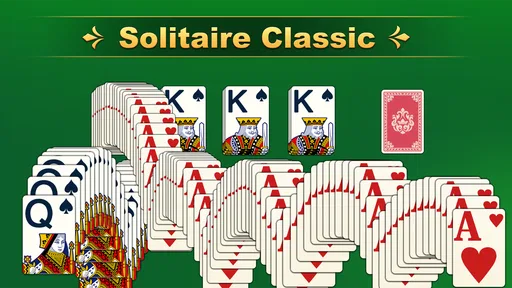
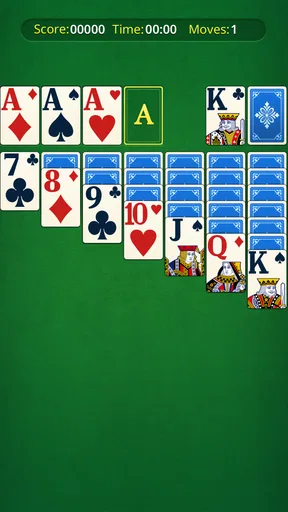
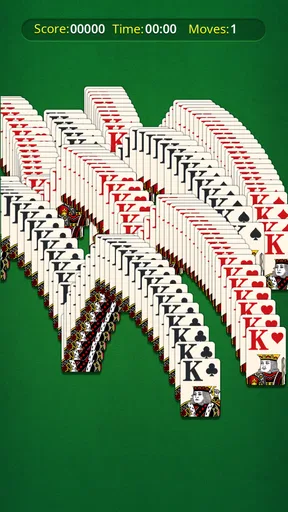
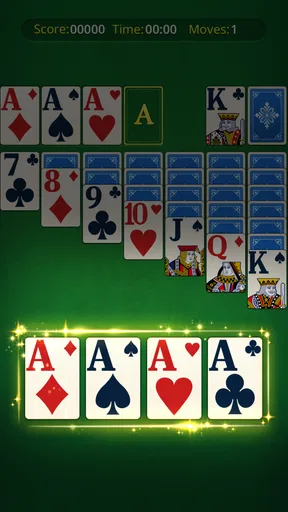
 Analysis by AppCompare
I approached Nostal Solitaire: Card Games as a first-time player would: looking for a familiar card game that is easy to begin and comfortable to return to. It is a free card game from Infinite Joy Ltd., and its appeal is straightforward rather than mysterious: sit down for a quick round, get used to the controls, and see whether solitaire fits the spare moments in your day. The game is rated for Everyone, so it is an accessible option to consider for a broad audience.
What to expect from a familiar card game
This is aimed at people who want a relaxed solo card game, not a large social or competitive experience. The store summary describes a classic solitaire game for brain training and relaxation, and that is a useful way to set expectations: the central draw is the familiar puzzle of arranging cards, with the pleasure coming from thinking through a move rather than reacting quickly. If you want a calm activity between errands or during a quiet break, that basic rhythm makes sense.
It also helps to know what kind of alternative you are choosing. Compared with a paper deck, a phone game removes the need to lay out and gather cards, which makes starting a round convenient in a short window of time. Compared with a solitaire app built around tournaments, opponents, or elaborate progression, this one’s classic framing is better suited to a player who wants to focus on the cards themselves. That simplicity can be a strength, though anyone looking for lively competition or a deep campaign should choose a different kind of game.
Getting started without pressure
After installing, I would start by opening a game and learning the basic card movement before worrying about speed or a perfect score. The first useful milestone is small: make a legal move, notice what it reveals, and continue until you understand how the board changes. Solitaire can look more complicated than it is when every card is visible at once, so I find it easier to scan one area at a time instead of trying to plan the whole game immediately.
A practical first-session habit is to pause before moving a card that could fit in more than one place. Ask whether the move uncovers something useful or merely shifts the same problem elsewhere. That little check makes a casual round feel more purposeful and helps new players learn the logic instead of tapping at random. There is no need to treat the first game as a test; a stalled board is part of learning how a solitaire puzzle can unfold.
Where it fits into an ordinary day
For a realistic use case, imagine waiting for a delayed appointment with a few minutes to spare. A solo card game is easy to pick up, and you can give your attention to it without arranging a group or following a long story. The same appeal applies to a quiet commute as a passenger or a short wind-down at home. I would not choose it when I need a game that demands constant novelty, but it suits the kind of pause where a small, self-contained puzzle is enough.
The sensible trade-off is that solitaire depends on repetition. If you enjoy refining decisions and trying another deal, that loop can be soothing. If repeating a familiar card format quickly feels stale to you, the convenience of a phone version will not change that. I would think of it as a pocket-sized pastime, not as a substitute for a more varied strategy game or a multiplayer card table.
Worth Reading Before You Choose

Baby Panda World Brings Quick Play to Modern Phones, but Its Game Library Feels Busy

ESPN’s Live Game View Makes Following Close Games Easier

QuizzLand Review: A Good Fit for Short Trivia Breaks, Not Every Player

Basketball Stars: Multiplayer Is Fast, but Can It Recover When Matches Go Wrong?

WEBTOON Turns Phone Updates Into a Better Reading Routine

Link to Windows Runs on Shared Habits, Not Social Feeds
Classic Gameplay with a Modern Twist
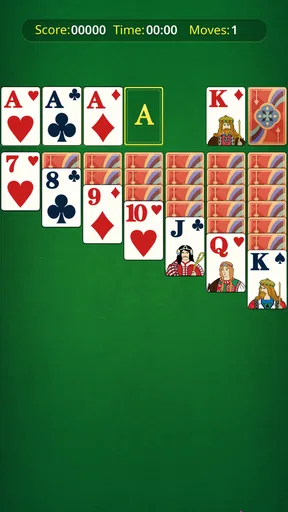
When I first opened Nostal Solitaire: Card Games, I was greeted with a simple, user-friendly interface. The app doesn't drown you in unnecessary features, which I absolutely loved. It focuses on delivering a pure solitaire experience. The game offers several variations of solitaire, including Klondike, Spider, and FreeCell, each with its own unique charm. The graphics are clean and crisp, making it easy on the eyes, which is great if you plan on playing for hours (and trust me, you will!).
Intuitive Controls and Customization
The controls in the app are intuitive. You can easily drag and drop cards or tap to move them—whatever floats your boat. One of my favorite features is the customization options. You can change the card backs, backgrounds, and even the card faces. It’s like having your own digital deck of cards that you can personalize to match your mood or style.
For a first round, I recommend trying both movement styles rather than assuming one is best. Dragging gives a direct sense of where a card is going; tapping can feel more convenient when you are playing one-handed or have only a moment to spare. If a move does not work as expected, slow down and check which card or space you selected before repeating it. This is a small adjustment, but it helps keep the interface from becoming a source of frustration while you are still learning.
Customization is most useful when it improves clarity, not just appearance. I would choose a card face and background combination that makes suits and ranks easy to distinguish on the screen you use, then leave it alone for a few games. Changing the look constantly can make a familiar layout feel less readable, especially if you are playing in a hurry. Once you have a setup that is comfortable, the visual choices become a practical aid rather than another decision to make before every round.
Challenge Yourself with Daily Goals
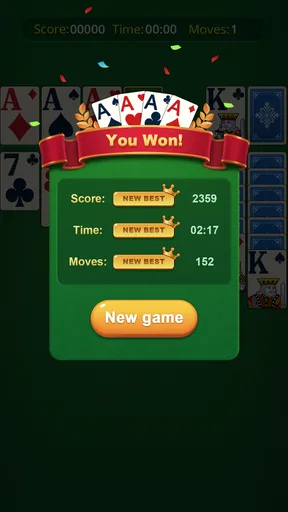
What’s a game without a little challenge? Nostal Solitaire: Card Games keeps things exciting with daily goals and achievements. These add a layer of engagement that keeps you coming back for more. Whether it's completing a game in record time or achieving a winning streak, there’s always something to strive for. It’s a clever way to keep the game fresh and engaging.
I would treat goals as optional prompts, not as a reason to rush through a hand. When you are new, take the time to understand why a move helps; speed becomes more meaningful after the rules and card flow feel familiar. If a goal asks you to play in a way that distracts from making sound decisions, it is fine to ignore it and simply finish the round at your own pace. That keeps the relaxing side of solitaire intact.
Daily goals can also help answer a common question: is there a reason to reopen a solitaire game after the first few rounds? For players who like a light nudge, they provide a small target to return to. For players who prefer an entirely unstructured pastime, they need not define the experience. I find that distinction useful: the goals may add direction, but the card puzzle should remain the main reason to play.
Offline Play and Minimal Ads
One of the best things about this app is its offline capability. You can play your favorite card games without worrying about internet connectivity, making it perfect for those long flights or road trips. Plus, the ads are minimal and non-intrusive. You won't find yourself bombarded with pop-ups every few seconds, which is a huge plus in my book.
Offline access is particularly handy when you know you will be somewhere with unreliable service, but I would still open the game before leaving and make sure it is ready to play. That simple check avoids discovering at the wrong moment that you need to finish setup or load the game. For travel, I would also keep expectations modest: it is a useful way to fill a quiet stretch, but it will not replace entertainment that changes from one session to the next.
As with any free mobile game, the presence of advertising is worth considering even when it feels restrained. If you are sensitive to interruptions, notice how the ad experience fits your own tolerance rather than assuming every session will feel identical. I would not let a few quiet rounds decide whether the format suits you; try it during the kind of break when you can comfortably put the phone down between games.
Who will enjoy it, and who may want something else
With an average rating of 4.3 from around 13,000 ratings and over a million installs, it has reached a substantial audience, though those figures cannot tell you whether its particular pace suits you. The current version is 3.0.1, and it runs on Android 8.0 or later. If you are choosing for an older device, checking that operating-system requirement before downloading can save time. Its free price makes it easy to try without committing money up front.
I would recommend it to someone who already likes solitaire, a newcomer willing to learn through a few unhurried rounds, or anyone who wants a modest solo game rather than an elaborate hobby. It is less suitable for someone who expects every session to introduce new mechanics, wants head-to-head play, or dislikes repeating a familiar puzzle. In those cases, a more social card game or a strategy title with changing objectives will probably hold attention better.
One useful way to judge it is to ask what you want from a short break. If you want a quiet task that gives your hands and attention something simple to do, open a round and play at your own pace. If you want a narrative, a varied challenge, or a reason to coordinate with friends, this is not the strongest fit. That is not a flaw in solitaire so much as a reminder that the right game depends on the mood you are trying to satisfy.
Overall, Nostal Solitaire: Card Games is a delightful app that captures the essence of traditional solitaire while adding modern features to enhance the gaming experience. Whether you’re a seasoned solitaire player or just looking for a fun way to pass the time, this app has got you covered. So, why not give it a try and see if it brings back some fond memories? You might just find it's your new favorite pastime.
Pros
- Smooth and intuitive user interface.
- Wide variety of solitaire game modes.
- Daily challenges keep gameplay fresh.
- Offline play available for on-the-go fun.
- Minimal ads for a better experience.
Cons
- Limited customization options.
- No multiplayer feature available.
- Occasional in-app purchase prompts.
- Lacks a tutorial for beginners.
- Graphics could be more modern.
FAQs for Nostal Solitaire: Classic Card
What is Nostal Solitaire: Card Games?
Nostal Solitaire: Card Games is a classic solitaire app designed for both Android and iOS devices. It offers a nostalgic experience with various solitaire variations, including Klondike, Spider, and FreeCell. The app features an intuitive interface, customizable themes, and daily challenges to keep players engaged.
Is Nostal Solitaire: Card Games free to play?
Yes, Nostal Solitaire: Card Games is free to download and play. However, the app may include in-app purchases for additional features such as premium themes, ad removal, or special card designs. Players can enjoy the core gameplay without any cost, but optional purchases enhance the experience.
Does Nostal Solitaire: Card Games require an internet connection?
No, Nostal Solitaire: Card Games does not require an internet connection to play. Users can enjoy the game offline, making it perfect for travel or situations where connectivity is limited. However, some features like daily challenges or updates may require a connection.
Is Nostal Solitaire: Card Games suitable for all ages?
Yes, Nostal Solitaire: Card Games is suitable for all ages. The app offers a simple and accessible interface, making it easy for both children and adults to enjoy. It's designed to provide a relaxing experience, with no inappropriate content, making it family-friendly.
What are the customization options available in Nostal Solitaire: Card Games?
Nostal Solitaire: Card Games offers various customization options to enhance user experience. Players can choose from different card back designs, backgrounds, and themes. The app also allows users to toggle sound effects and music, enabling a personalized gaming environment that suits individual preferences.


